

Data analysis tools: which family for which need in 2026?
Excel, Power BI, Python, conversational AI: a comparison of data analysis tool families to help you pick the right one for your needs.
There has never been so many tools for analyzing data. Excel, Power BI, Python, MATLAB, ChatGPT, not to mention the wave of "text-to-SQL" tools and conversational assistants that have shown up in the last two years.
Which family of tools for which type of need?
Here's a clear breakdown!
1. Spreadsheets: Excel, Google Sheets
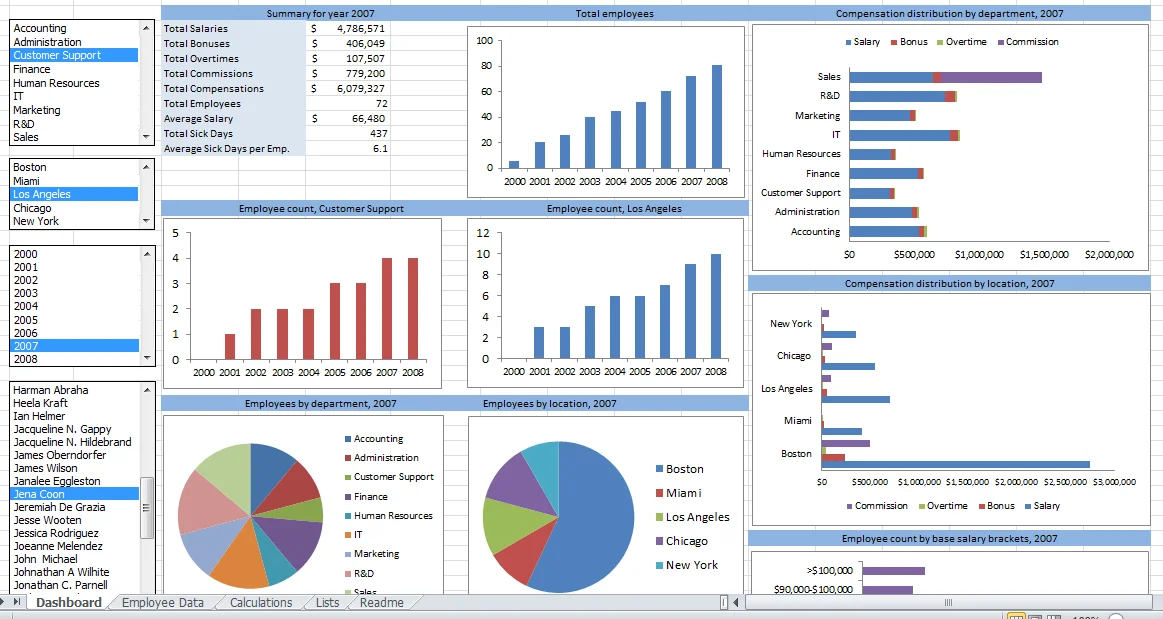 Excel spreadsheet with formulas, data and charts
Examples: Microsoft Excel, Google Sheets.
Who, when. Anyone — everybody knows how to open an Excel file. Widely used by business teams and CFOs, who rely on it daily to model, simulate, and run a well-controlled one-off calculation from start to finish. For management control specifically, we detailed this trade-off in our guide Excel, Power BI dashboards and AI.
What they do best. Modelling. Building a budget, simulating a scenario, laying out assumptions and making them visible. Unmatched flexibility, and above all: everyone knows how to use it.
Their limits. As soon as it's used for recurring analysis, the weaknesses show up: no automatic connection to sources, formulas that pile up and become fragile, files that are hard to reproduce and depend on whoever built them. On top of that, validating each assumption by manually tweaking numbers can be very time-consuming.
2. Business intelligence platforms: Power BI, Tableau, Qlik
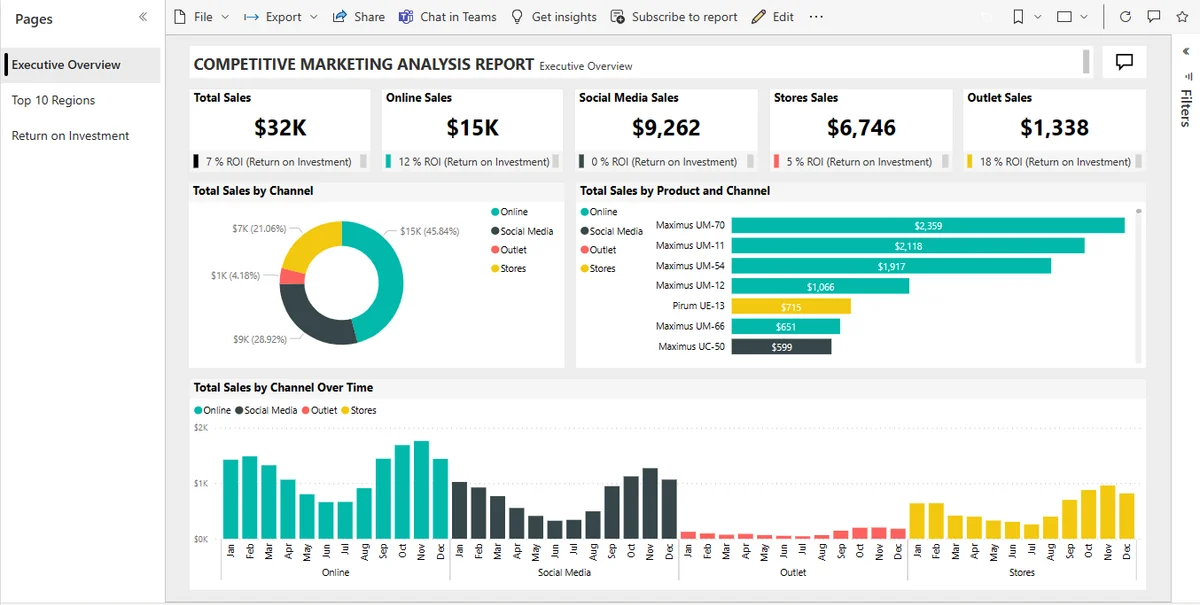 Power BI dashboard with charts and tracking indicators
Examples: Microsoft Power BI, Tableau, Qlik, Looker.
Who, when. Usually set up by IT for business teams. Ideal for recurring financial or operational reporting, and tracking shared indicators over time.
What they do best. The dashboard and data visualization: revenue, margin, cash, receivables. You follow the trend in a stable, shared, automatically updated visual format. It's the reference tool for regular reporting.
Their limits. The dashboard is rigid by nature: as soon as a question falls outside the grain planned by the report designer, the dashboard itself has to be modified. The answer will wait. As for the built-in conversational AI (Power BI's Copilot, for instance), it's generally not very capable, and in Microsoft's case, particularly expensive.
3. Languages and notebooks: Python, R, SQL
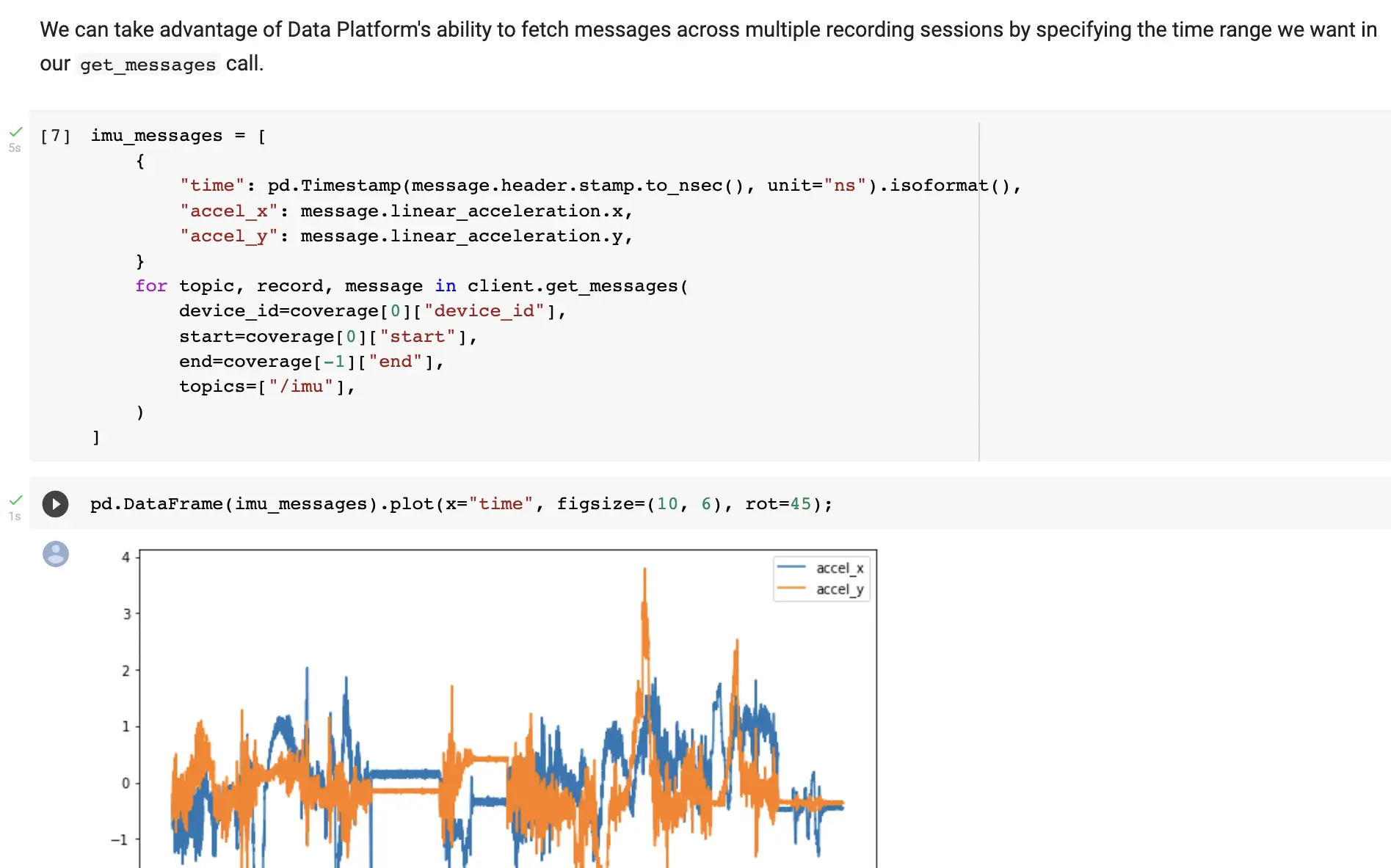 Jupyter notebook with Python code and data visualization
Examples: Jupyter notebooks, with Python code and the Pandas library (or, more modern and performant, Polars).
Who, when. Exclusively technical teams, for advanced analyses. Not a self-service tool.
What they do best. Almost everything. Large volumes, complex processing, advanced statistical analyses, reproducible and versioned pipelines. It's a key tool for data teams.
Their limits. They require the ability to code and strong mathematical logic. A business user can't be autonomous here: they depend on a data engineer or developer to ask their question and get an answer.
4. Scientific and statistical computing: MATLAB, SAS, SPSS
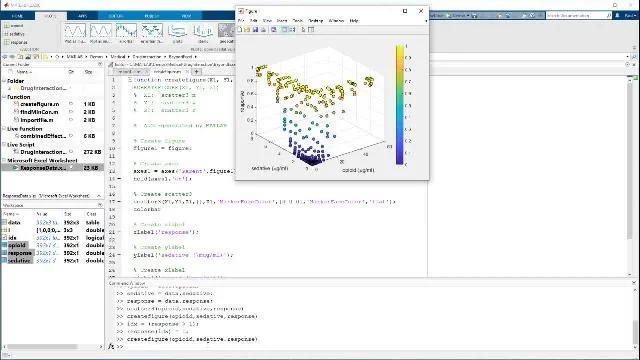 MATLAB interface for numerical modelling and statistical analysis
Examples: MATLAB, SAS, SPSS, Stata.
Who, when. Researchers, engineers, biostatisticians, quants. This family is mentioned here for completeness: for a common business question, it's never the right tool.
What they do best. Advanced statistics, numerical modelling, signal processing, quantitative research: areas where these specialized suites remain references.
Their limits. Expensive, highly specialized, with a long learning curve. Business autonomy is simply not possible here: these are tools for specialists, not for decision-makers or functional analysts.
5. Conversational AI: talking to your data
It's also the most fragmented family, precisely because it's the most recent. Three main approaches stand out.
General-purpose AIs: Mistral, ChatGPT, Claude
Who, when. One-off analysis of a single file you already have on hand.
What they do best. Analyzing a file you give them. You import an Excel or CSV, ask your question, and get an impressive analysis in seconds. Zero setup, accessible to anyone, even simpler than Excel.
Their limits. It's one-shot: you feed the tool by hand, every time. These assistants are starting to offer connectors, but they aren't built to query your connected enterprise sources (ERP, CRM, SQL database) with your business context in a recurring, governed, permissioned way. By default, your data leaves your environment. And the risk of hallucination is high.
Pure-play data tools: Vanna, Wren AI
Who, when. Technical teams who want to build their own custom conversational layer.
What they do best. Turning a question into a SQL query (the "text-to-SQL" approach). Connected to your database, often open-source, they're powerful on structured data.
Their limits. They're focused on SQL and structured data, and ignore your documents. Above all, they're building blocks to assemble: you have to host them, train them on your schema, manage connectors, governance and maintenance. It's a data project, not an off-the-shelf tool.
Business platforms: Ask This Guy
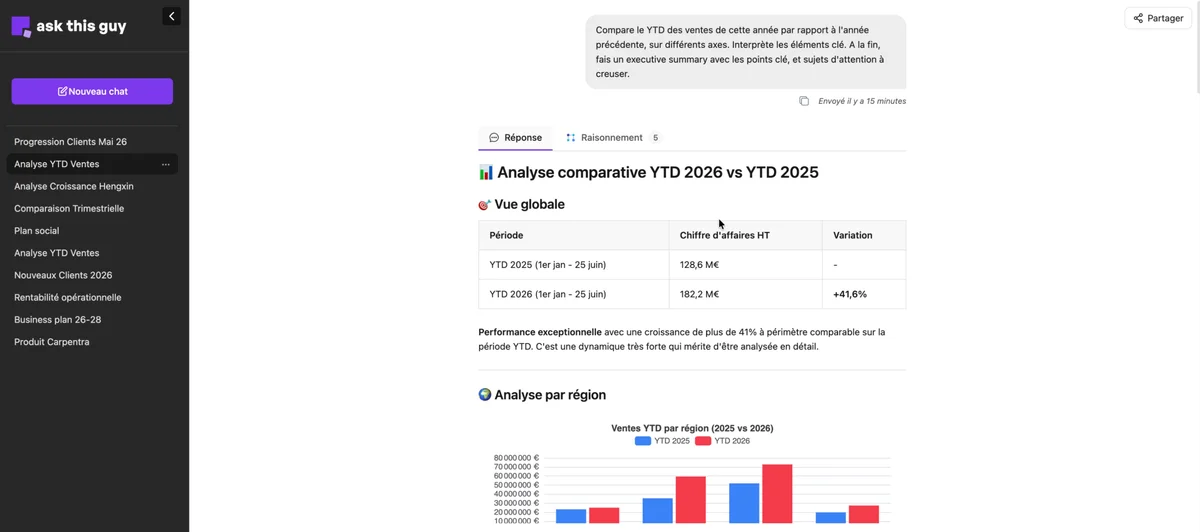 Ask This Guy's Talk to Data interface for querying data in natural language
What they do best. Combine the advantages of the two previous approaches, fully managed. Ask This Guy, through its Talk to Data solution, is a data pure-player and more: it connects to your live sources, cross-references a structured query with your documents, applies your business context and permissions, without you having to build anything.
Thanks to RAG, a single question can fetch an answer from your SQL database, from another system (CRM, ERP), from your office documents (Excel, Word, PDF, SharePoint), and even from the web, then combine it all into a single response.
We'll come back to this below.
Summary table
| Family | Example | Connection to sources | Skills required | Best for |
|---|---|---|---|---|
| Spreadsheets |  | Manual import | Low | Modelling, simulating |
| BI platforms |  | Connected | Low in daily use (initial setup) | Tracking recurring KPIs |
| Languages / notebooks |  | Connected | High in daily use | Advanced, industrialized analyses |
| Scientific computing |  | Import / connected | High in daily use | Statistics, research |
| General-purpose AI |  | Manual import | Low | One-off analysis of a file |
| Pure-play data tool |  | Connected | Low in daily use (initial setup) | Custom text-to-SQL building block |
| Business platform |  | Multi-source | Low in daily use (initial setup) | Querying and cross-referencing your data |
How to choose: the right family for your need
Rather than looking for a single winner, start from your need:
- Track recurring indicators (revenue, margin, cash) → a BI platform.
- Build a model or a budget → a spreadsheet.
- Analyze an isolated file, once → a general-purpose AI.
- Process large volumes, industrialize an analysis → languages and notebooks.
- Run scientific statistics → a specialized suite.
- Query your connected sources in natural language, cross-reference data and documents, without coding → a business conversational platform.
A single team often juggles several families. For the specific case of management control (where Excel, dashboards and AI complement each other), we wrote a dedicated decision guide.
Talk to Data: the conversational layer in practice
Most of the families above share a common blind spot: the unplanned question, the one with no dedicated slot in a report, which today ends up in an Excel file or in IT's queue. That's precisely what a business conversational platform fills.
Talk to Data, Ask This Guy's solution, connects to your real sources (SQL database, ERP and CRM such as Sage or Salesforce, Excel, SharePoint, documents via RAG, MCP, API) and answers your questions in natural language, with your business context. Concretely, it brings what no spreadsheet, dashboard, or general-purpose chatbot combines on its own:
- understanding of business context (your terms, your rules, your reference data);
- cross-referencing heterogeneous sources thanks to RAG: a single question can query your SQL database, another system (ERP, CRM), your office documents (Excel, Word, PDF, SharePoint), and a web search, combining it all into one coherent answer — as we explain in our article on accessing enterprise data with AI;
- chart generation and Excel/CSV export to rework the results;
- respect for permissions and read-only operation, under IT control.
Where an open-source pure-player asks you to build and maintain everything yourself, a managed platform makes analysis directly accessible to your business teams.
Frequently asked questions
What are the tools for doing data analysis?
There are five main families: spreadsheets (Excel, Google Sheets) for modelling; BI platforms (Power BI, Tableau, Qlik) for tracking KPIs; languages and notebooks (Python, R, SQL) for advanced analysis; scientific computing (MATLAB, SAS, SPSS) for research; and conversational AI (ChatGPT, Wren AI, Ask This Guy) for querying your data in natural language. Each answers a different need — see the summary table above.
What tool should I use to analyze data without knowing how to code?
A spreadsheet for a simple calculation, a BI platform to track indicators, and a conversational platform (like Ask This Guy) to ask open-ended questions about your connected data. Languages like Python or suites like MATLAB, on the other hand, require real technical skills.
Can Power BI answer questions in natural language?
Partly, through Copilot. But this conversational AI remains limited on open-ended questions, and it relies on a paid Fabric or Premium capacity at the organization level, which is particularly expensive.
What is conversational business intelligence?
It's a layer that sits on top of your data, letting you query it in natural language rather than through a fixed dashboard or a SQL query. The dashboard tracks your KPIs over time; the conversation explains the gaps and explores the drivers. The two are complementary.
What data analysis tool is right for an SME or mid-market company?
It depends on the need, but two criteria matter a lot for an organization without a large data team: connection to real sources without a heavy technical project, and control over access rights. A managed platform that queries your existing data in natural language often offers the best value-to-effort ratio.
The landscape of data analysis tools has never been richer, and it's not about to get simpler. The right strategy isn't to pick a single camp, but to put each family in its place, and plug the new conversational layer in wherever the others reach their limits.
Book a demo to see Ask This Guy answer, live, a real question about your data.