Predefined Prompts
Create reusable prompt templates for your team. Standardize AI interactions, save time, and improve quality with pre-configured templates for common tasks.
📝 Standardize AI Interactions Across Your Organization
Predefined Prompts let you create reusable prompt templates that your entire team can use with just two clicks. Instead of every employee crafting their own prompts from scratch, you define professional, optimized templates once - and everyone benefits from consistent, high-quality AI outputs.
🎯 What Are Predefined Prompts?
Think of Predefined Prompts as AI interaction blueprints for your organization. They're pre-configured prompt templates that:
- Standardize workflows - Ensure everyone uses best practices when working with AI
- Save time - Users insert proven prompts in two clicks instead of writing from scratch
- Improve quality - Well-crafted templates produce better, more consistent results
- Capture expertise - Codify your organization's knowledge into reusable AI instructions
💼 Common Use Cases
Organizations use Predefined Prompts for a wide variety of tasks:
Document classification:
- Standardize tagging systems across departments
- Apply consistent categorization to files and content
- Automate content organization with predefined taxonomies
Content creation:
- Generate product documentation following your style guide
- Draft blog articles with your brand voice
- Create marketing copy that matches your messaging
- Write customer communications with consistent tone
Data processing:
- Extract structured information from unstructured documents
- Summarize reports in your organization's preferred format
- Translate content while maintaining technical terminology
Analysis & research:
- Analyze feedback with standardized evaluation criteria
- Review documents against specific quality checklists
- Generate insights following your analytical frameworks
⚙️ How It Works
For Administrators (in the Admin Console):
- Create a template - Write your prompt with clear instructions and any necessary context
- Optimize with AI - Use the built-in AI rewriting feature to automatically enhance your prompt
- Publish - Make the template available to your team
You maintain full control over which prompts are available and can update them anytime.
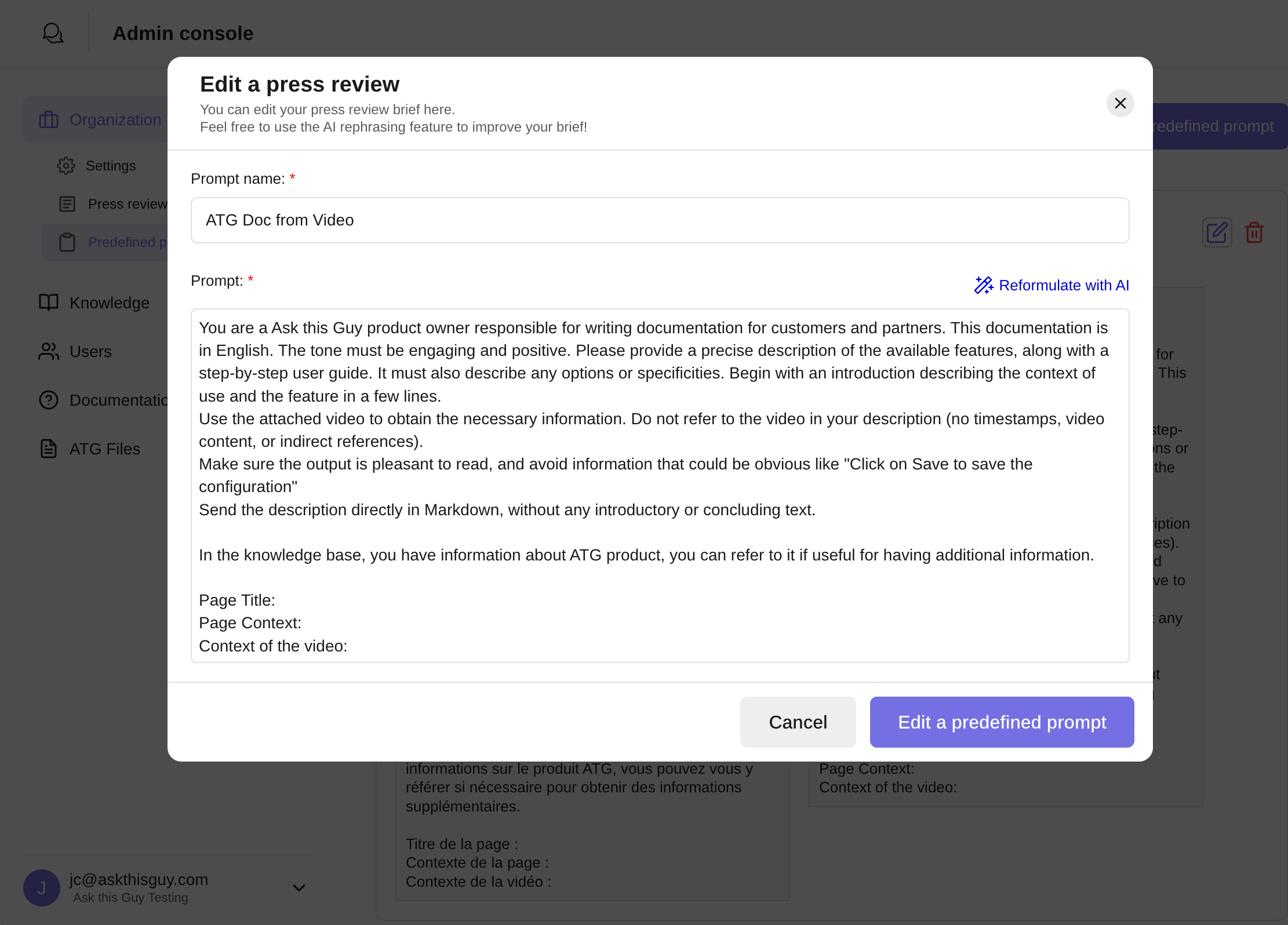 Prompt configuration example in Admin Console
Prompt configuration example in Admin Console
For Users (in the web app at app.askthisguy.com):
- Browse available prompts - See all templates configured by your admin team
- Select a prompt - Click to insert it into your conversation
- Add specifics - Fill in any required variables or context
- Get results - ATG processes your request with the optimized template
It takes just two clicks to access professional-grade AI prompts.
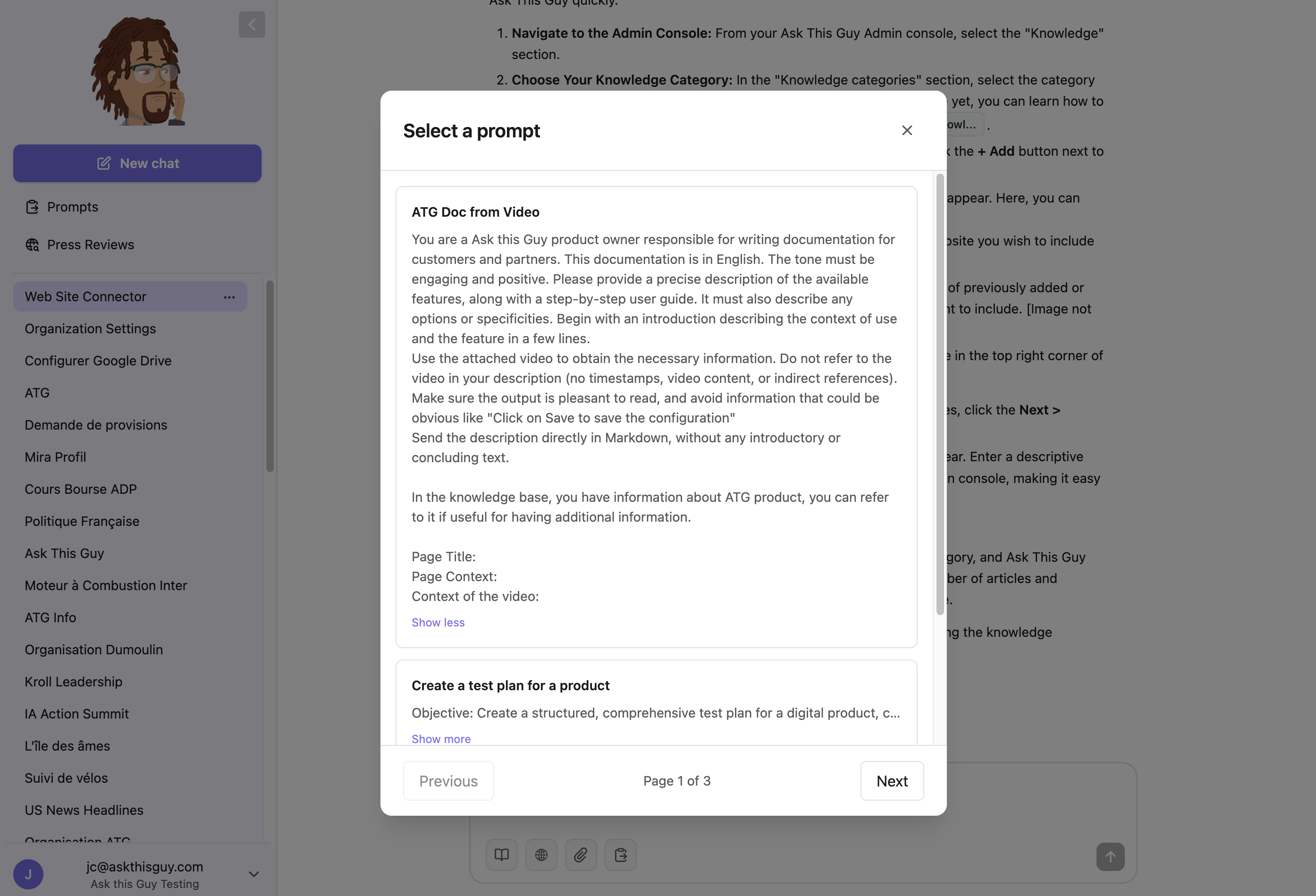 Prompt selection illustration in ATG's webapp
Prompt selection illustration in ATG's webapp
✨ Benefits
For the organization:
- 📊 Consistency - Everyone uses proven, high-quality prompts
- 🚀 Efficiency - Reduce time spent crafting and refining prompts
- 🎓 Knowledge sharing - Best practices spread across the team
- 🔒 Control - Administrators ensure AI usage aligns with company standards
For users:
- ⚡ Speed - Insert expert-level prompts instantly
- 💡 Learning - See examples of effective AI interactions
- 🎯 Results - Get better outputs without prompt engineering expertise
- 🧘 Simplicity - Focus on work, not on figuring out how to ask the AI
🚀 Getting Started
Administrators can create and manage Predefined Prompts directly from the Admin Console. Start with a few high-impact templates for your most common tasks, then expand your library based on team feedback and usage patterns.
Users will find Predefined Prompts readily available in the ATG web app, making AI assistance as simple as point-and-click.