 Web Sites
Import external web content into ATG by defining a starting URL. ATG crawls and indexes the site so it can be searched via the AI assistant.
🌐 Import Web Content Into ATG
The Web Sites Connector lets you bring external web content directly into your organization's knowledge base. By defining a starting URL, ATG will crawl and index the site, making its content searchable and accessible through AI-powered chat.
🎯 How It Works
Simply provide a URL to start crawling from, and ATG will:
- Download web pages from the specified site or section
- Track each page individually - Every page becomes a searchable resource
- Respect your scope - Control which parts of the site to include
This is perfect for importing documentation sites, knowledge bases, internal wikis, or any web-based content relevant to your team.
🛠️ Control What Gets Imported
You have full control over the crawling scope:
- Define the starting URL - Choose where the crawler begins
- Set boundaries - Import the entire site or just specific sections
- Filter content - Specify which pages or paths to include or exclude
🔄 Manual Refresh
Unlike some connectors, the Web Sites connector does not refresh automatically. You control when to re-crawl the site to capture updates, giving you flexibility over when and how often external content is synced.
📄 What Gets Indexed?
The connector processes HTML web pages and extracts their text content, links, and structure. Each page becomes a distinct, citable resource in your ATG knowledge base.
🚀 Ready to Get Started?
Quick setup in 4 steps:
- In your Admin Console, go to Knowledge and select a category
- Click + Add next to Web Sites
- Enter the URL(s) you want to crawl - type manually or select from suggested sites
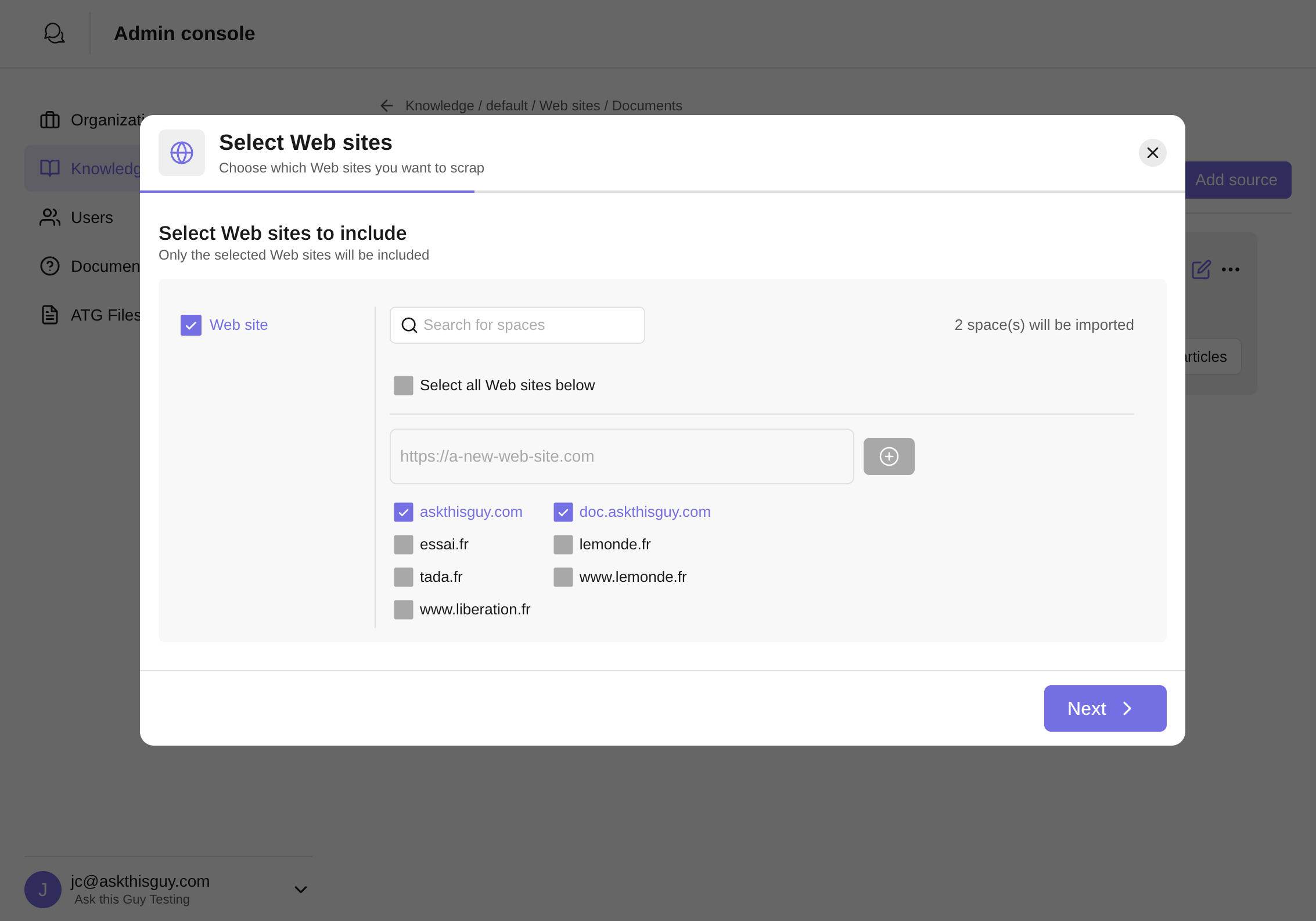 Select Web Sites screen from the Admin Console
Select Web Sites screen from the Admin Console
- Name your source and click Create
Your web content will start importing immediately!