Using Attachments
How to attach documents to your questions: organizational documents vs personal files, AI search, and step-by-step use of the attachment menu.
2 min read
What you can do with attachments
- Use two kinds of sources
- Organizational Documents: shared resources available in your workspace. Your administrator defined which documents you have access to.
- My Files: your personal uploads for the current workspace. This also includes files generated by ATG (e.g. images)
- Search by meaning (AI Search)
- Turn on Activate AI Search to find documents by concepts, not only filenames. This is a powerful feature to find files and documents that correspond to your request, whatever its origin. It searches in all organizational documents you have access to.
- Attach multiple files
- Ask cross-document questions and compare sources.
How to attach a document (step by step)
1) Open the attachment menu
In the chat input, click the paperclip icon.
2) Choose the source
In the modal, pick one of the tabs:
- Documents (Organizational Documents)
- My Files
3) Find the right document
- Browse the list
- Search by filename using the search bar
- Search by meaning
- Toggle Activate AI Search
- Type a natural-language query
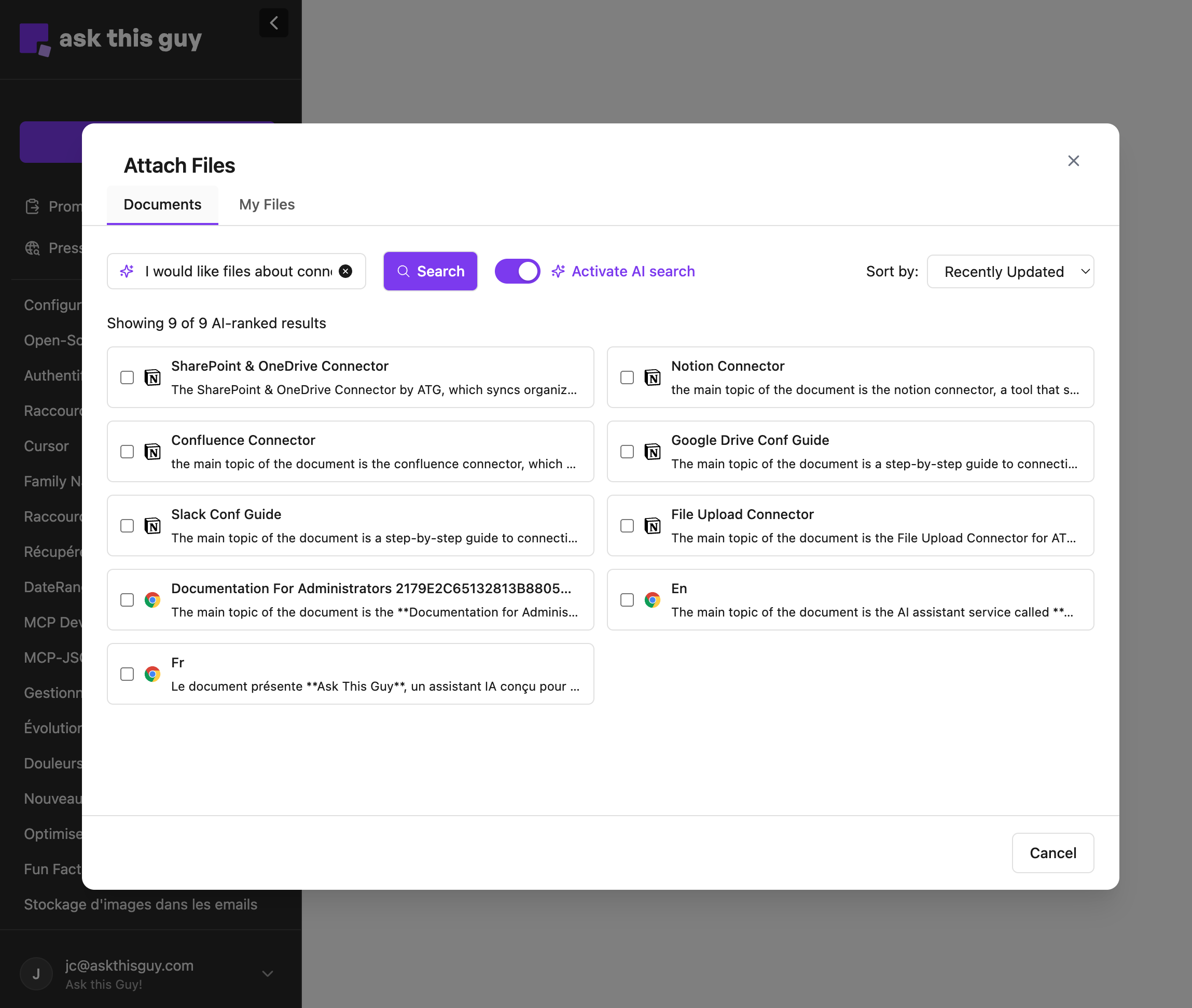 Capture d'écran 2026-02-02 à 12.39.43.png
4) Attach and ask your question
- Tick the checkbox next to one or more files.
- Click Attach item.
- When the file chip appears in your message bar, type your request and send.
Example questions
- "Summarize the key points of this document."
- "What does this say about pricing for offer X?"
- "Compare the requirements in file A vs file B."
Options & tips
- Sorting: sort results by Recently updated or Alphabetical.
- When to use AI Search: it works best when you do not know the exact filename, or when you are looking for a concept.
- Be explicit: if you want a quote or an exact paragraph, ask for it (e.g., "include the exact excerpt").
Limitations
- File size: uploads are currently capped at 20 MB per file.
- Minimum query length: AI Search needs at least 3 characters.