
Tags & Alerts
Create rules to automatically tag conversations and receive email alerts when conversations match natural-language conditions you define per agent.
Tags & Alerts is where you define rules that automatically tag conversations and optionally send email notifications when a conversation matches a condition you describe in plain language—not a fixed list of keywords.
List and filters
The main view shows your tags in a table. Use the agent dropdown at the top to manage rules for a specific assistant (each tag is scoped to one agent).
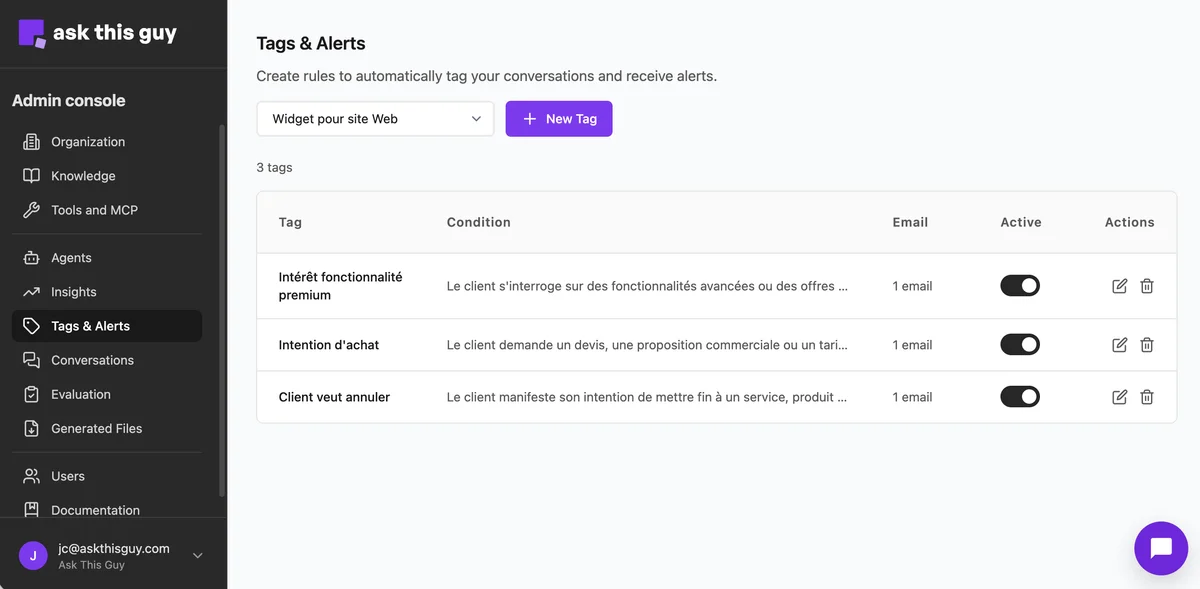 Tags & Alerts overview: list of tags, agent filter, and New Tag
Table columns
- Tag — The label applied to matching conversations (and used in analytics elsewhere).
- Condition — A short description of when the tag applies; the full wording is edited in the side panel.
- Email — How many email notification targets are configured for this tag.
- Active — Enable or disable the rule without deleting it.
- Actions — Edit or delete the tag.
Creating or editing a tag
Choose + New Tag or open an existing row. A side panel opens for the tag definition.
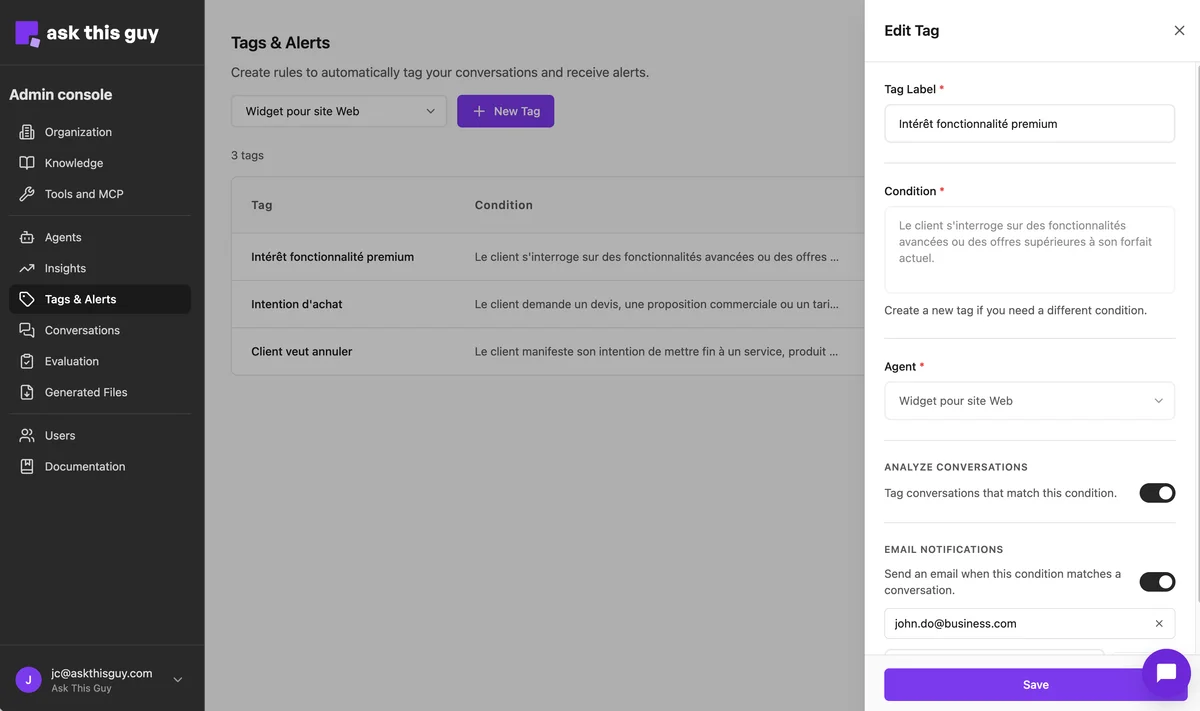 Edit tag: label, condition, agent, tagging toggle, email alert toggle
Required fields
- Tag label — Clear name for the tag (for example “Purchase intent” or “Wants to cancel”).
- Condition — Describe in natural language what should count as a match (for example interest in a higher plan, request for a quote, or churn risk). The system evaluates conversation context; you can phrase the rule the way your team thinks about the scenario.
- Agent — The chatbot this rule applies to.
Analyze conversations
Turn Tag conversations that match this condition on to apply this tag when the condition matches.
Email notifications
Turn Send an email when this condition matches a conversation on to notify one or more addresses when a match occurs. Add the recipient email(s) in the field provided.
Save your changes with the action at the bottom of the panel.
Using tags with Insights
Tagged conversations feed into Insights (for example breakdowns by tag). Define stable tags here, then review volume and trends in Insights.