
MCP catalog
Browse the MCP catalog to add third-party Model Context Protocol services: open-access integrations and providers that require an API key.
On this page
The MCP catalog helps you add third-party MCP services to your organization without assembling every connection detail from scratch. In Tools and MCP, open the MCP Servers tab, then choose Browse Catalog (as opposed to My Servers, which lists what you already configured).
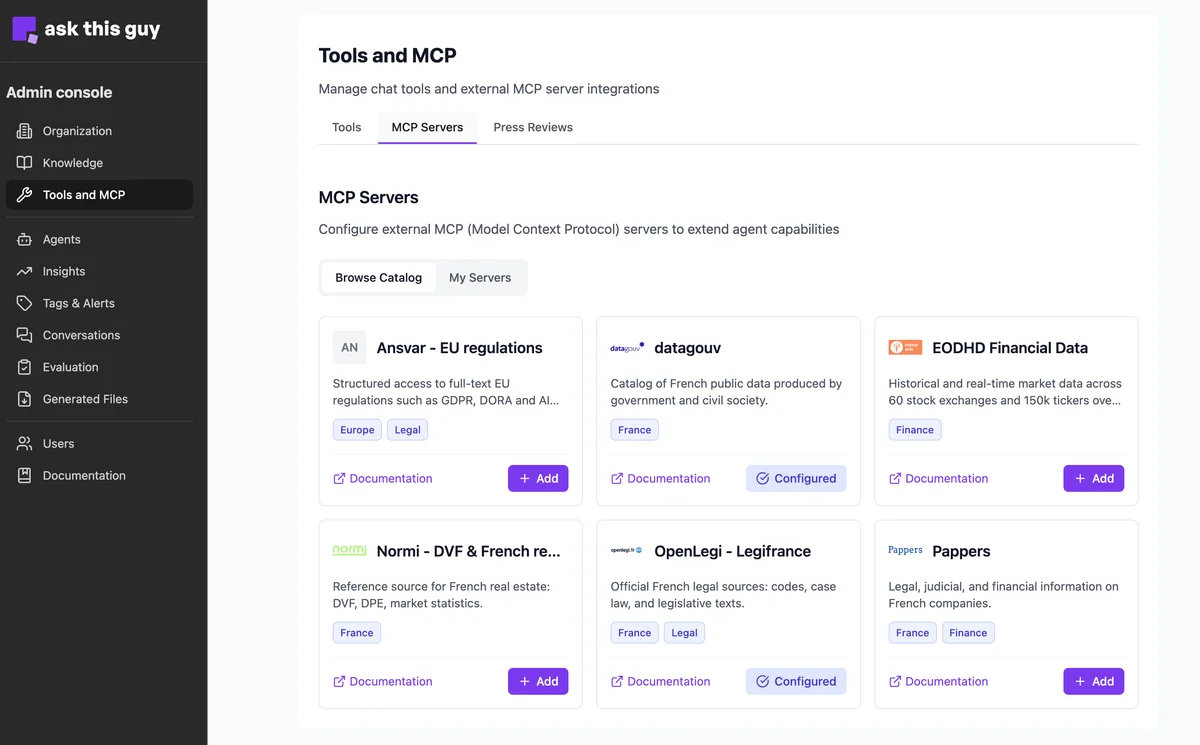 MCP catalog: Browse Catalog view with integration cards
Each card summarizes a service (description, category tags such as France or Legal, and a link to the provider’s documentation). Use + Add to start adding a catalog entry to your organization. When a service is already connected, the card can show Configured instead.
Open access and API keys
Catalog entries fall into two broad patterns:
-
Open or public access - Some endpoints do not require you to register with the third party or paste a secret; the product can mark them as ready to use once added (for example open government data sources such as datagouv).
-
Provider account and key - Others expect you to sign up on the provider’s site, generate an API token, and paste it in the admin console. The token is stored securely and sent according to the service (often as a Bearer token).
Always check the provider’s documentation linked from the card for pricing, quotas, and terms.
Add to organization
When you add a service that needs credentials, a dialog such as Add to Organization collects the server label, Server URL (often prefilled from the catalog), Authentication (for example Bearer Token), and the API Token field. Use Test & Add to verify the connection before saving.
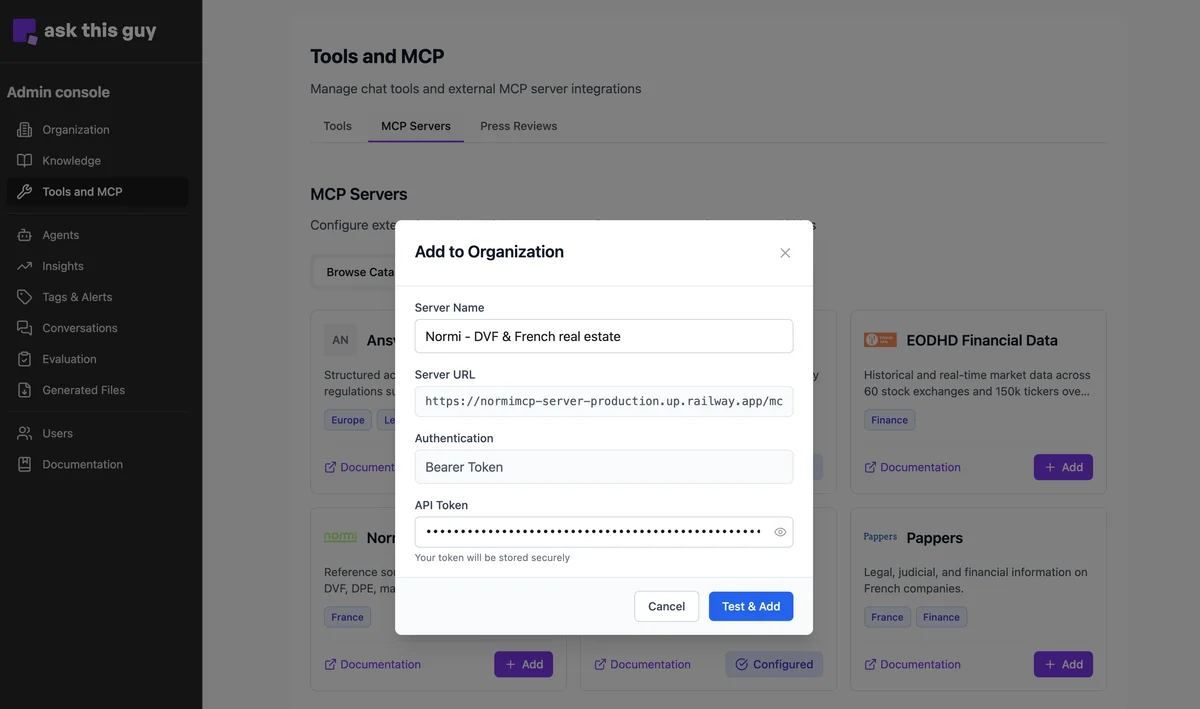 Add to Organization: example with Bearer token and Test & Add
After a successful add, the server appears under My Servers and follows the same lifecycle as any other MCP server (tool selection, active/inactive, edits). See MCP servers for connection options and tool filtering.
Featured integrations
Normi - DVF and French real estate
Normi exposes cleaned French property transaction data (DVF), DPE (energy performance) cross-references and market analytics through more than 25 MCP tools: comparables, trends, neighborhood comparisons, and more. Create an account on Normi's site, get the API token and activate it in ATG through the MCP catalog.